Your Microsoft 365 tenant, held to a known-good baseline.
Assetto records what correct looks like across Entra ID, Intune, Exchange Online, SharePoint and Defender — then tells you the moment your tenant drifts away from it, and puts it back.
Read-only, application-only access. No agent to deploy. Data stays in the EU.
A tenant that was compliant last quarter is not a tenant that is compliant now.
Policies get relaxed to unblock a project, an admin is added for a migration, a conditional access rule is scoped down for testing. Each change is reasonable. None of them get reverted.
An annual assessment tells you the state of the tenant on one day. It says nothing about the eleven months between, which is where the exposure actually accumulates.
When a permission is revoked or a credential expires, most tools quietly stop assessing that area — and an unassessed control looks exactly like a passing one on a dashboard.
Baseline, detect, restore.
Connect the tenant with read-only application permissions and Assetto records a blueprint of your current configuration — conditional access, device policies, privileged roles, sharing settings, mail authentication.
Every change is compared against that blueprint by content fingerprint, scored for risk, and attributed — who changed it, when, and whether it happened inside an approved change window.
Restore a policy to its recorded state from the blueprint, or formally accept the change as the new baseline. The decision is recorded either way.
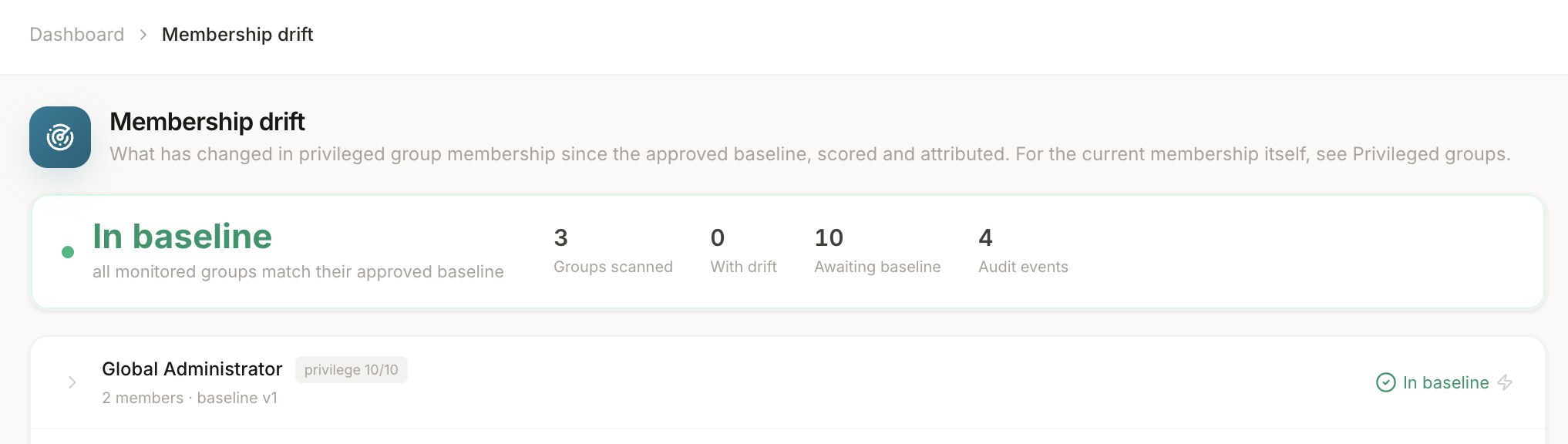
Most tools tell you something changed. That is the easy half.
Assetto keeps the previous configuration, so a bad change is a rollback rather than a ticket, a screenshot and an afternoon of manual repair.
Assetto continuously verifies that it can still read each workload and that every permission it needs is still granted. When it loses visibility it says so, loudly, instead of reporting a clean result it did not earn.
Changes are correlated against the Entra audit log and matched to change records, so a finding arrives with who, when, and whether it was approved — not just a diff.
CIS benchmarking, a framework-agnostic control catalogue and a NIS2 readiness model that separates what can be measured automatically from what an administrator must attest to.
NIS2 is the reason this exists. Assetto runs in the EU, reads only what it needs, and produces the periodic evidence the directive expects.
Every record is bound to its organization at the schema level and credentials are encrypted against their tenant's identity, so isolation does not depend on anyone remembering a filter.
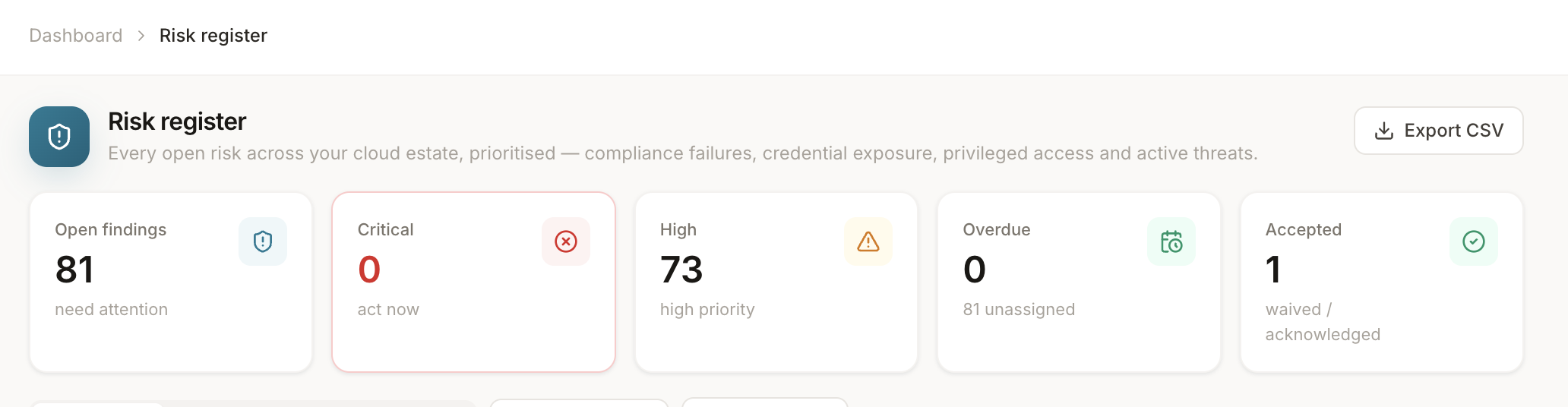
Every finding in one place, with an owner and a clock.
A list of problems is not a plan. Each finding carries a severity, the workload it came from, who owns it, and how long it has been open — and closing one means fixing it or formally accepting it, on the record.
- Assigned to a person, not to nobody
- Ageing tracked, so nothing quietly becomes permanent
- Accepted risks stay visible, with a reason and a name
Workloads
- Entra ID — conditional access, security defaults, guest and consent policy
- Privileged access — role assignments, standing admin, eligible vs active
- Intune — device configuration and compliance across Windows, macOS, iOS and Android
- Exchange Online — SPF and DMARC, mailbox auditing, inbox rule risk
- SharePoint & OneDrive — external sharing and legacy authentication
- Defender — alerts and incidents
- App registrations — over-permissioned apps, expiring and expired secrets
Reporting
- NIS2 readiness across the directive's technical measures
- CIS Microsoft 365 Benchmark scoring
- A canonical control catalogue mapped to multiple frameworks
- A risk register with ownership, ageing and formal acceptance
- Tenant-wide baseline audit report with an executive summary
- Per-platform device configuration gap analysis
- Portfolio view across every tenant you manage
See it against your own tenant.
A read-only connection takes a few minutes to set up, and the first baseline report comes back the same session.